A grid drawing tool for one photo in this browser. Drop a JPG or PNG, set a grid for drawing, crop if you need to, then download PNG, JPG, or high-res PNG. Nothing uploads.
Drag & drop your reference image here
Supports JPG, PNG, GIF, WEBP
Upload image
One PNG at 4× this photo’s pixels — a larger print file. Not four copies, and not always 4K.
Blank canvas · 800×600 · 8×8 grid
PNG for print. JPG is smaller. High-res PNG is 4× the pixels — one larger file, not four copies.
Features
What this grid drawing tool does
The first viewport is the grid drawing overlay: drop one photo, set the squares you will copy, and download PNG or JPG. This URL is not blank graph paper and not a collage maker.
The drawing grid sits on the photo you dropped
Change rows, columns, color, width, or opacity and the preview updates in this tab. Crop and rotate the photo, then add diagonals or a thirds / golden-ratio overlay. The identity line shows the filename, pixel size, and grid so you know which drawing grid you are about to save.
8×8 to start, then any count from 2 to 50
Rows and Columns go from 2 to 50 and do not lock together unless you turn on Square cells. An 8×8 drawing grid is enough for a still life. Move toward 10×10 when a face or hands need smaller decisions. Counts above 50 are not offered so the tab stays usable.
Drawn on this device
The image is opened with FileReader and painted on a canvas in this browser. We do not upload it, we do not store it after you leave, and a weak connection does not block the download. That is the privacy model on this page, not a later setting.
PNG, JPG, and 4× on the same card
Replace image, Download PNG, Download JPG, and Download 4× PNG sit under the preview. 4× PNG is free here. View enlarges the same canvas on this page. We do not send you to a CDN or a blank tab to see the drawing grid. PSD, PDF, and a blank graph-paper pack are not offered.
What it is
What is a grid drawing tool?
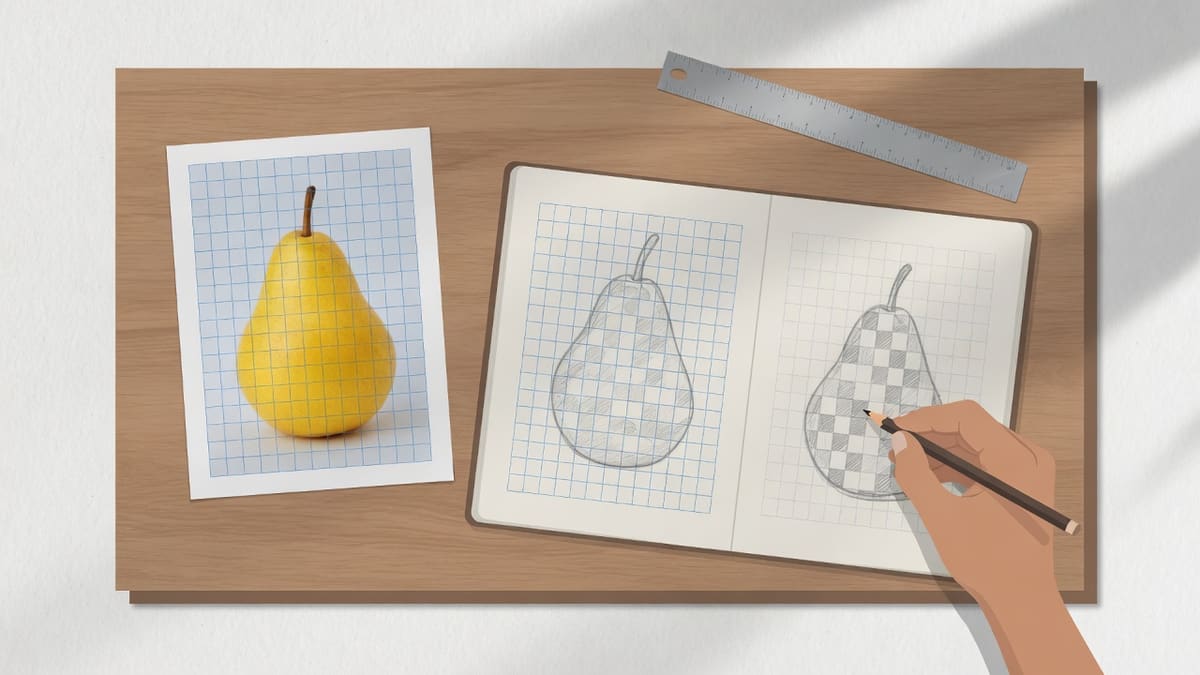
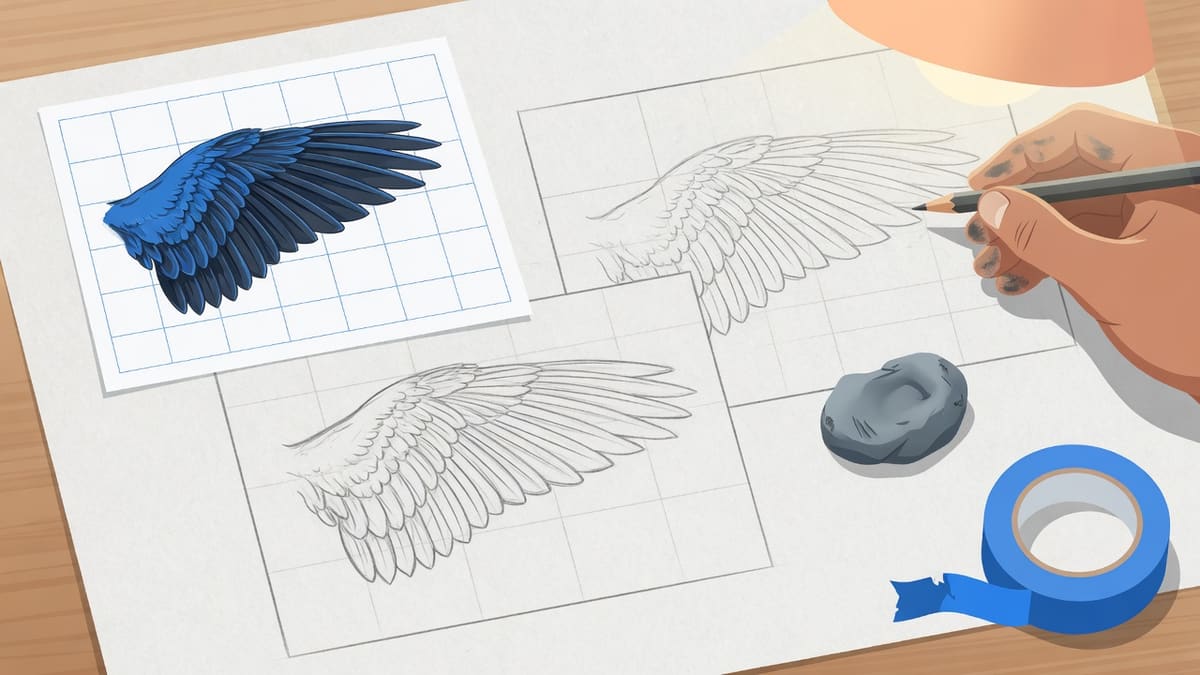
A grid drawing tool overlays even rows and columns on a reference photo so you can copy one square at a time onto paper. People type grid drawing, grid drawing tool, grid for drawing, and drawing grid when they want those squares on a picture they already have — not a blank sheet of graph paper, and not a collage of several pictures. This URL is that tool. You drop a JPG, PNG, GIF, or WEBP, drag Rows and Columns, and the canvas in this tab redraws immediately.
The overlay is the first half of grid drawing: lines on the reference. Ruling the same count on paper is the second half, and the longer tutorial lives on the grid method page. Here the job is the grid for drawing itself. Line color, opacity, optional A1 labels, crop, rotate, diagonals, and a thirds or golden-ratio overlay sit on this card. Other sites sell those extras. They are free here. The photo is read with FileReader and never posted to our server. Download PNG for sharp print edges. Download JPG for a smaller file. Download 4× PNG when you need a larger print.
Grid drawing and a drawing grid are the same job with two names. Grid drawing names the method. A drawing grid is the overlay you download. A grid for drawing is that overlay on the photo you will copy. We keep one card for all three phrases so the site does not invent synonym clones. The generic grid maker homepage still exists for people who type that head term.
This page is not a printable A4 graph pack, an Instagram splitter, a paint-by-number converter, or a store app. It is not Photoshop guides and not a pixel-art chart. If you brought one photo and you want a grid drawing overlay on it, stay on this card. Start from the overlay you can see before you pick up a pencil.
Input
One JPG, PNG, GIF, or WEBP, or a blank 800×600 canvas
Upload
None. The photo is read in this tab
Account
Not required
Export
PNG, JPG, or a free 4× high-resolution PNG of the gridded image
How to use
How to use this grid drawing tool
Step 1
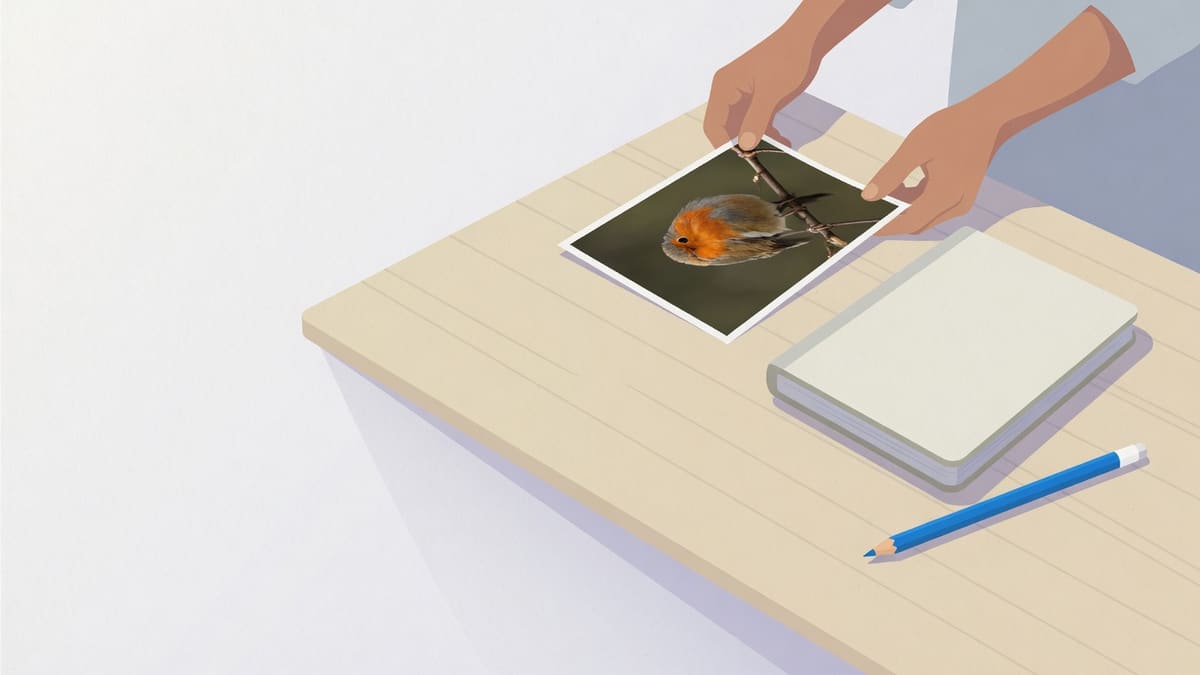
Drop the photo
Drop a JPG, PNG, GIF, or WEBP on the card, or click to pick one file. PDF and video are not accepted here. You can leave the blank 800×600 canvas if you only need empty squares, but this URL is for a drawing grid on a photo.
Step 2
Set the drawing grid you will copy
The overlay starts at 8×8. Drag Rows for horizontal lines and Columns for vertical lines. Each slider is independent. Crop first if the photo includes extra background. Tune color and opacity so the lines stay visible. Labels, diagonals, and composition overlays sit under More options.
Step 3
Download and match the paper grid
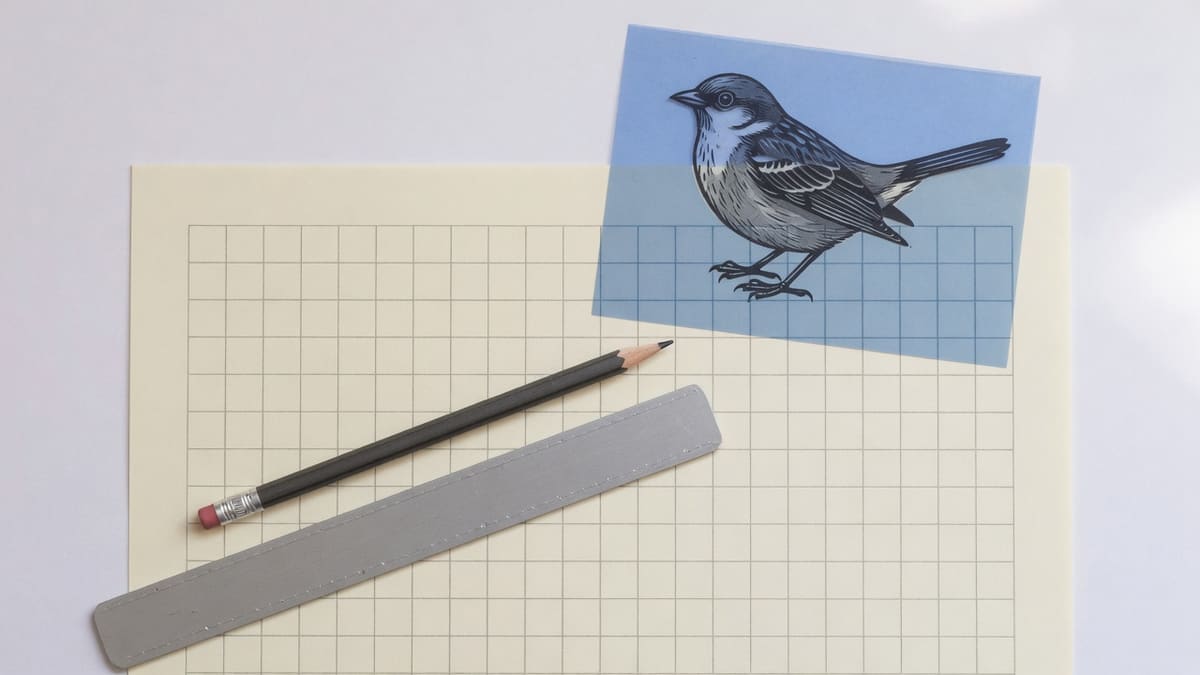
Confirm the filename and pixel size in the result heading. Download PNG for a print-ready drawing grid, JPG for a smaller file, or Download 4× PNG when you need a larger print. Rule the same number of squares on paper, then copy one cell at a time.
Limits
What this page will not invent
This card is the grid drawing tool: squares on one photo so you can copy square by square. The generic grid maker homepage answers grid maker. The paper-copy tutorial lives on the grid method page. If you only need even lines for drawing, use grid overlay. Searches for add grid to photo land on add grid to photo. We do not print an A4 graph pack, split an Instagram feed, or export a paint-by-number chart. Diagonals, thirds, golden ratio, crop, and 4× PNG stay free here.
Why choose
What this grid drawing tool actually delivers
A grid for drawing on one photo you can copy onto paper. Not blank graph paper, not an app store listing.
This URL answers grid drawing, not collage
People land here from grid drawing, grid drawing tool, and grid for drawing — not from a generic maker search alone. The card still declines collage layouts, feed splitters, hex cells, and printable blank packs. The homepage grid maker is the generic overlay; this page is the drawing-specific card.
The photo never leaves the tab
Several grid sites still talk about upload even when the work is local. This page is explicit: FileReader plus canvas, no form post, no account. If you are copying a client portrait, that is the reason to stay here instead of a tool that stores files.
The preview is the result
You see the drawing grid on the photo before you save. Identity sits above the buttons so you are not downloading an anonymous file. View enlarges the same canvas on this page. That is faster than exporting blindly and opening the file in another app.
Free means the export, not a trial
Other drawing grid tools lock diagonals, rule of thirds, golden ratio, and 4× prints behind a subscription. This page gives those controls on the same card, with no account and no trial. The grid you see on the photo is the grid you can save.
Limits and tips
Tips for paper copying
Start at 8×8 unless the subject is tiny, keep paper lines light, and match the count cell for cell.
Crop so every square is useful: If the photo includes a wall or a table you will not draw, crop first. Then set rows and columns. Extra background wastes squares and makes the paper grid harder to match.
Start at 8×8 unless the subject is tiny: A 4×4 or 6×6 drawing grid is enough for a simple object. 8×8 is a practical default for a pet or a head. 10×10 and up help when a portrait needs smaller decisions. More squares slow you down if the subject is simple.
Keep the paper grid light: Use a hard pencil and a ruler on the sheet. Heavy lines dent the paper and will not erase cleanly. Copy edge crossings first, then interiors. Labels help in a classroom; turn them off on a detailed face if they clutter the download.
Do not expect a different product: We will not print a blank A4 graph pack, install a phone app, or split an Instagram feed. This card overlays one raster photo. Neighboring jobs stay declined.
Use cases
Who a grid drawing tool is for
Beginners, classes, and scale-up jobs that start with grid drawing on a photo.
Beginner still life, 8×8 drawing grid
Someone new to grid drawing wants a still life broken into squares they can copy onto cheap paper.
Input: One well-lit JPG or WEBP of a simple object already on the phone or laptop.
Setting: Crop to the object, 8 rows by 8 columns, labels on, dark line at about 35 percent opacity.
Output: A PNG of the same still life with an 8×8 drawing grid, plus a matching 8×8 pencil grid on paper.
Caveat: This does not correct lens distortion. Use Crop & rotate if you only want the object, not the table edge.
Portrait drawing grid for a class
A teacher needs the same 10×10 drawing grid for a table of students, without making an account.
Input: One portrait photo as JPG or PNG.
Setting: Crop to the head, 10×10 overlay, labels on so you can say look at cell D5, medium line width.
Output: A 10×10 PNG you print in bulk. Every student works from the same squares on the same photo.
Caveat: We do not generate a worksheet pack. You still photocopy or share the PNG yourself.
Scale a small sketch onto a larger sheet
You have a postcard-size sketch and want the same drawing grid count on a bigger page.
Input: A photo or scan of the small sketch as JPG or PNG.
Setting: Coarse grid such as 8×8 so the larger paper squares stay practical to rule by hand.
Output: An 8×8 drawing grid of the sketch. On the larger sheet you rule 8×8 with bigger cells and copy square by square.
Caveat: This page does not calculate inches per square or wall chalk-line positions. Count squares by hand.
FAQ
Grid drawing questions
What is a drawing grid?
A drawing grid is even rows and columns on a reference photo so you can copy one square at a time onto paper. On this page you drop a JPG or PNG, set the count, and download PNG or JPG with the lines already drawn. The photo is read with FileReader in this tab and is not uploaded.
How do I use a drawing grid to copy an image?
Drop the photo on this card, set rows and columns, then download the overlay. Print that file or keep it on a second screen. Rule the same number of squares on paper with a light pencil. Copy only what sits in one square, then move to the next. Erase the paper lines when the drawing holds.
What grid size is best for beginners?
Start with 6×6 or 8×8 on a simple still life. Use 8×8 for most portraits and pets. Move to 10×10 when a face needs smaller decisions. More squares slow you down if the subject is simple. Rows and columns on this card go from 2 to 50 and stay independent unless you turn on Square cells.
Can I use the drawing grid for painting?
Yes. The download is a PNG or JPG of the photo with the grid painted in. You still paint every mark on canvas. Light pencil squares on the canvas can sit under the first wash. This page does not mix color or estimate gallons of paint.
Is using a drawing grid considered cheating?
No. A drawing grid is a measuring aid, like a ruler. You still choose edges, values, and color. The longer tutorial lives on the grid method page. This URL’s job is to put even squares on the photo and let you download them.
Can I scale up a small image to a large canvas?
Keep the same row and column count on the photo and on the paper. Make each paper square larger. An 8×8 drawing grid on a postcard becomes an 8×8 drawing on a poster if every paper cell is bigger. Crop first so the shapes match. This page does not print a mural plan in feet.
Do I need an app to make a drawing grid?
No. Open this page in a normal desktop or phone browser. There is no Play Store listing, Chrome extension, or Procreate brush. The drawing grid is FileReader plus canvas on this URL. If a search result is an APK, that is a different product.
Is this drawing grid free?
Yes. Crop, rotate, diagonals, rule of thirds, golden ratio, and 4× PNG sit on the same card with no trial. You do not create an account. The photo is not posted to a server. Other drawing grid sites lock those extras; they stay free here.
Can I use this online in a browser?
Yes. This is a website, not an install. The same URL works on a laptop and in a mobile browser. Drop a photo, drag the sliders, then download. A weak connection does not block a save because the file never left the tab.
Does this drawing grid work on a phone?
Yes, in the mobile browser on the same URL. Pick a photo, drag Rows and Columns, then download. There is no separate iPhone drawing-grid app here. Very large photos are capped so the tab stays stable, and the status line says so.
Can I download the drawing grid?
Yes. Download PNG for a print-ready drawing grid, JPG for a smaller file, or Download 4× PNG when you need a larger print. Confirm the filename and pixel size in the result heading. PDF worksheets, ZIP packs, and layered PSD files are not offered.
What is an 8x8 drawing grid?
Set Rows to 8 and Columns to 8. That is the default on this card and a common starting point for still life and pets. You can change either slider independently. A 10×10 drawing grid is better when a face needs smaller cells.
Is this printable blank graph paper?
No. This page overlays a drawing grid on one photo. You can leave the blank 800×600 canvas if you only need empty squares, but we do not generate a multi-page A4 graph pack. Print the PNG you download here, then rule matching squares on your own paper.
What is the best drawing grid app?
This page is not an app store listing. It is a browser drawing grid: drop a photo, set the squares, download. You do not install anything. If you need a Procreate guide or an Android APK, that is a different product.
How do I make a drawing grid?
Drop a photo on this card. Drag Rows and Columns until the overlay matches the squares you will copy. Tune color and opacity, then download PNG. Rule the same count on paper. That is how you make a drawing grid here, without posting the file.
Do files leave the browser when I make a drawing grid?
No. The photo is opened with FileReader and painted on a canvas in this tab. We do not post it, and we do not keep it after you leave. A weak connection does not block a download because nothing is waiting on a server.
What is a grid drawing tool?
A grid drawing tool puts even squares on a reference photo so you can copy one cell at a time onto paper. This URL is that tool in a browser: drop a JPG or PNG, drag rows and columns, then download PNG or JPG. It is not an app store listing and not a blank graph-paper pack.
What is grid drawing?
Grid drawing is copying a photo by matching squares. You overlay a count on the reference, rule the same count on paper, and draw only what sits in one square before you move on. This card draws the overlay. The longer paper tutorial lives on the grid method page.
Can I use this as a grid for drawing on a photo?
Yes. Drop the photo, set rows and columns, and the overlay is the grid for drawing that photo. Download PNG and keep the same count on your sheet. Independent sliders let you run more columns than rows on a wide crop. Square cells stays off unless you turn it on.
Is this an online grid drawing tool or an app?
It is a website. Open this URL in a desktop or phone browser, drop a photo, and download. There is no Play Store listing, Chrome extension, or Procreate brush. If a search result is an APK or an iPhone drawing-grid app, that is a different product.
How is grid drawing different from a drawing grid?
People type both. Grid drawing names the method of copying square by square. A drawing grid is the overlay of rows and columns on the photo. This page does both jobs on one card: the overlay you download, and the same count you rule on paper. We do not split those into two tools.
Do I need Photoshop for a grid drawing tool?
No. This card reads the photo in the tab and paints the overlay on a canvas. You do not install Photoshop, GIMP, or Illustrator, and you do not walk through guide menus. If you already have a JPG or PNG, drop it here and download the gridded file.
Start this grid drawing tool
Drop one photo, set the squares, then download PNG or JPG. This button only scrolls to the card.